Authentication
/api/Authentication/login
Example request:
{ "customerName": "my company", "agentName": "user1", "password": "123"}Response:
{ "token": "eyJhbGciO....", "customerName": "my company", "agentName": "user1", "expiresAt": "2026-02-15T14:24:10.4516109Z"}Use returned JWT “token” for authentication in all your requests.
Using Swagger UI
You may use swagger WEB UI for testing (use your real web host):
http://localhost:5288/swagger/
First, you need get JWT, use /api/Authentication/login:
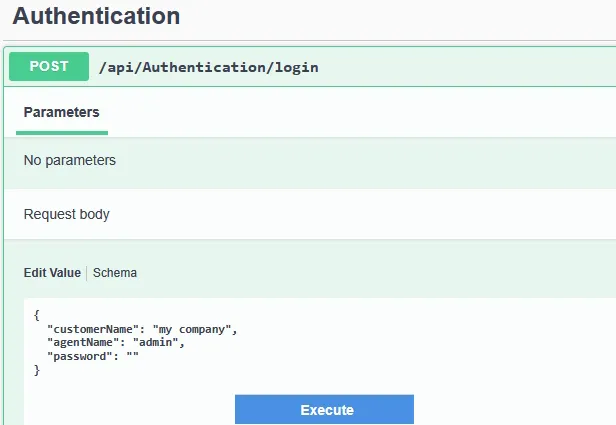
Download response (name will be like response_1771335532878.json file), and get “token” from it.
Click on “Authorize” button at top of page, and insert token (without qoutes):
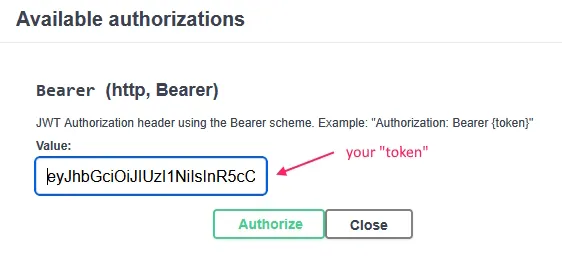
Important note: on older versions, you need to specify “Bearer yourtoken” , but now you just use token as is.