Alarm Messages
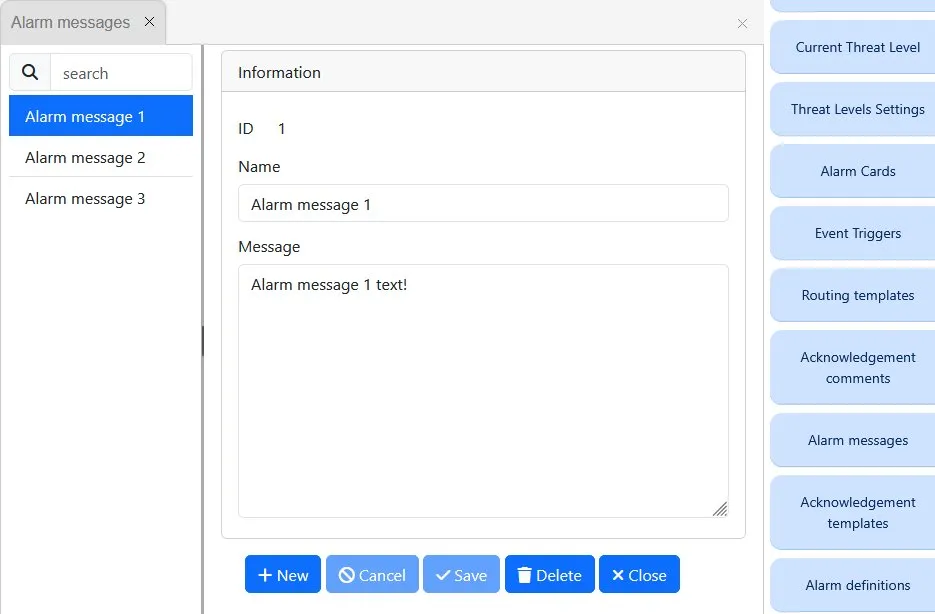
Alarm Messages
Alarm messages are specified as a part of automatic alarm processing.
To add a new alarm message to the existing message list, the operator needs to open ‘Alarm Messages’ form, click on ‘New’ button and specify the message details.
After that the alarm message may be selected when defining templates in “Acknowledgement Templates” form.
Acknowledgement Comments
Acknowledgement comment is used to manually confirm that the operator has read the event content and to add some observations on the matter.
To add a comment the operator needs to open ‘Event View’ or ‘Alarm View’, locate the event record, and double-click on the record. That will open the confirmation form, where the operator will be able to add the comment instantly or select an appropriate one from the list.
To add a new comment to the existing comments list, the operator needs to open ‘Acknowledge Comments’ form, click on ‘New’ button and specify the ACK comment details.
Both Alarm Messages and Acknowledgement Comment may be referenced in the Acknowledgement Template definition, see Acknowledgements